- Downloads
- Sounds
- projects.esu.eu
- Search results
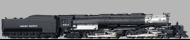
UP 4-8-8-4 Big Boy LokSound 5 North American & Australian factory Equipped Sound files  H0 N XL L M4
- Article numbers:19491
- Last change: 7/6/2022
- Manufacturer: Hornby
Equipped with ESU "FULL THROTTLE STEAM" features!
During the late 1930s, the Union Pacific often used helpers to move trains from Ogden to Wasatch. The UP wanted to simplify this move so they asked their "Department of Research and Mechanical Standards" (DoRMS) to design a locomotive that could pull a 3600 ton train unassisted over the 1.14% grade of the Wasatch.
The designers determined that to pull a 3600 ton train, a tractive effort of 135,000 lbs would be needed. Assuming a factor of adhesion of 4.0, the weight on drivers would have to be 4.0 * 135,000 = 540,000 lbs. Given an axle loading of 67,500 lbs each, this would require 8 drivers or an x-8-8-x wheel arrangement. The designers agreed upon the 4-8-8-4 design. Next, the horsepower and cylinder sizes were computed based on 300 psi boiler pressure. Although they weren't planning to pull these freight trains at 80 MPH, the DoRMS designed them for 80 MPH in order to have a sufficient factor of safety built into the design. What resulted is considered by many to be the most successful articulated steam locomotive ever built. 4000 was delivered to Omaha at 6PM, September 5, 1941.
The 25 Big Boys were built in two groups. The first group, called "class 1", were built starting in 1941. They were numbered 4000-4019. The second group, "class 2", were built in 1944. They were numbered 4020-4024. The last revenue freight pulled by a Big Boy was in July of 1959. Most were retired in 1961. The last one was retired in July of 1962. As late as September, 1962, there were still four operational Big Boys at Green River, WY.
The ESU Full Throttle Steam files now include a few new logic features for added operational realism while still leaving you in control of HOW you wish to run your locomotive.
Heavy Load: F9 by default.
Similar to the “Drive Hold” button on the Full Throttle Diesel files “Heavy Load” allows you to adjust the “Steam Cut Off Valve” at any speed allowing for a fierce full chuff or drifting with snifters and rod clanks. Heavy load can also act as an offset allowing speed adjustments when engaged if desired.
Coast: F4 by default.
Opposite of “Heavy Load” Coast allows for a negative offset allow drifting sounds of Rods and snifter valves at any speed. You again have the option to hold the speed to adjust the speed with this offset active. Even allowing for an increase of speed with no chuffs as if drifting downhill.
Independent brake: F10 by default
Identical to the Full Throttle Diesel files this is a custom feature created by using logic inside sound slot 11. This allows for the locomotive to stop more quickly than its regular momentum would normally carry it. This one is pretty self-explanatory – just press the brake and come to a stop!
Articulation: Sound Slot 2
By adding Sound Slot 2 to the F8 Function Mapping you can add a second set of drivers making any ESU Steam File articulated.
Function Mappable Air Horn: F21 by default
Sound Slot 21.
Many Steam locomotives had a single chime airhorn equipped. Those modelling SP, MILW, and others can now have this feature and put it where they would like in the function mapping in addition to the whistle.
Whistles:
CV163=0 UP 844 "Steamboat" - Default
CV163=1 SP&S 3 Chime
CV163=2 Steamboat 3 Chime
CV163=3 SP 4449 Daylight
CV163=4 DRG&W 5 Chime
CV163=5 SOO Line 1003
CV163=6 DL&W 5 Chime
CV163=7 WM 6 Chime
CV163=8 Hancock 3 Chime
CV163=9 UP Hancock 4 Chime
CV163=10 UP 4014 Big Boy Hancock Chime
Bells:
CV164=0 Pnuematic Bell 1
CV164=1 Pnuematic Bell 2
CV164=2 Pnuematic Bell 3
CV164=3 Steam Loco Rope Pull Bell
CV164=4 SOO Line 1003 Bell
CV164=5 UP 844 Air Ringer Bell - Default
CV164=6 SP 4449 Bell
CV164=7 DRG&W K27 Bell
For more info please see the "Full Throttle Steam" Quick Start Guide in the ESU Instruction Manual Section of our Website.
http://www.esu.eu/en/downloads/instruction-manuals/digital-decoders/ Hide description more…
H0 N XL L M4
- Article numbers
- 19491
- Last change
- 7/6/2022
- Manufacturer
- Hornby
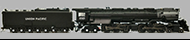
UP Challenger 4-6-6-4 (FT) LokSound Select Retail Soundfiles H0 N XL L M4
- Article numbers:73456, 73856, 73356
- Last change: 9/1/2017
- Manufacturer: ESU
Equipped with ESU "FULL THROTTLE STEAM" features!
MUST use LokProgrammer Version 4.5.1 or newer.
The name Challenger was given to steam locomotives with a 4-6-6-4 wheel arrangement. This means that they have four wheels in the leading "pilot" truck, which helps guide the locomotive into curves; two sets of six "driving" wheels, and finally, four "trailing" wheels, which support the rear of the engine and its massive firebox. Each set of driving wheels has its own steam cylinder. In essence, the result is two engines under one boiler.
The frame of the locomotive is "articulated," or hinged, to allow it to go through curves. When watching the approaching locomotive go through a curve, you can see the boiler swing out left or right independently of the lower half of the engine, as the rear half of the locomotive remains in a straight direction until its wheels and frame are halfway through the curve.
The Challengers were designed for fast freight service, but occasionally pulled passenger trains.
While having slightly different boiler pressures (Challengers 280lbs - Big Boys 300lbs) This file could be used for the UP Big Boy 4-8-8-4 locomotives as well as the sounds would be almost the same.
The ESU Full Throttle Steam files now include a few new logic features for added operational realism while still leaving you in control of HOW you wish to run your locomotive.
Heavy Load: F9 by default.
Similar to the “Drive Hold” button on the Full Throttle Diesel files “Heavy Load” allows you to adjust the “Steam Cut Off Valve” at any speed allowing for a fierce full chuff or drifting with snifters and rod clanks. Heavy load can also act as an offset allowing speed adjustments when engaged if desired.
Coast: F4 by default.
Opposite of “Heavy Load” Coast allows for a negative offset allow drifting sounds of Rods and snifter valves at any speed. You again have the option to hold the speed to adjust the speed with this offset active. Even allowing for an increase of speed with no chuffs as if drifting downhill.
Grade Crossing: Sequence. F22 by default.
Allowing 1 button push to play a “pre made” grade crossing cycles with variable lengths and whistle play.
Independent brake: F10 by default
Identical to the Full Throttle Diesel files this is a custom feature created by using logic inside sound slot 11. This allows for the locomotive to stop more quickly than its regular momentum would normally carry it. This one is pretty self-explanatory – just press the brake and come to a stop!
Articulation: Sound Slot 2
By adding Sound Slot 2 to the F8 Function Mapping you can add a second set of drivers making any ESU Steam File articulated.
Function Mappable Air Horn: F21 by default
Sound Slot 21.
Many Steam locomotives had a single chime airhorn equipped. Those modelling SP, MILW, and others can now have this feature and put it where they would like in the function mapping in addition to the whistle.
As with all SELECT decoders there are multiple, bells included on this one sound profile! All changeable using CV48.
Chuff Set:
CV48=0 UP Challenger 4-6-6-4-Rod Clank
CV48=16 UP Challenger 4-6-6-4-Snifters
Whistles:
CV48=0 UP "Steamboat" - Default
CV48=1 SP&S 3 Chime
CV48=2 Steamboat 3 Chime
Bells:
CV48=0 UP Air Ringer Bell - Default
Default CV48 Value = 0
0 - UP Challenger 4-6-6-4
0 - UP Steamboat Whistle
0 - UP Air Ringer Bell
For more info please see the "Full Throttle Steam" Quick Start Guide in the ESU Instruction Manual Section of our Website.
http://www.esu.eu/en/downloads/instruction-manuals/digital-decoders/ Hide description more…
H0 N XL L M4
- Article numbers
- 73456, 73856, 73356
- Last change
- 9/1/2017
- Manufacturer
- ESU
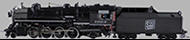
Soo Line 1003 2-8-2 (FT) LokSound Select Retail Soundfiles H0 N XL L M4
- Article numbers:73474
- Last change: 3/10/2017
- Manufacturer: ESU
Equipped with ESU "FULL THROTTLE STEAM" features!
MUST use LokProgrammer Version 4.5.1 or newer.
The 2-8-2 wheel configuration on steam locomotives was one of the most highly used configurations made. This type of locomotive with 2 pilot wheels, 8 drive wheels, and 2 trailing wheels to support a larger firebox was first built for the Emperor of Japan, thus the name Mikado type. The first Mikado built for service in the US was built in 1901 and was owed by the Bismarck, Washburn and Great Falls until 1904 when it was acquired by the Soo Line.
This recording comes from the newer L-1 Class SOO Line 2-8-2 #1003. The SOO #1003 is a very average 2-8-2 not much different than the USRA light Mikado design. It does have slightly larger cylinders and a boiler pressure of about 170 PSI.
Originally delivered with a Westinghouse Cross Compound Air Pump, Walschaerts valve gear, an oil headlight, and a manual Johnson Bar, it was gradually upgraded to include a Power Reverse gear and electric headlights and class lights by about 1920.
It is important to note that wheel arrangement does very little to change the sounds of a steam locomotive. (Articulation aside). Boiler pressure, Stack size, Cylinder size and even the engineer at the throttle can all have more effect on the sound of locomotive than how many wheels are beneath it. While our dedication to accuracy is paramount, causing us to release very specific files, we will also be releasing some more generic files to try to give broad range to locomotives owned by MANY railroads. While this is a fairly common design and the sounds are similar to many locomotives, this ESU Full Throttle File is quite specific to the SOO #1003. We've included a few extra whistles for some variation.
The ESU Full Throttle Steam files now include a few new logic features for added operational realism while still leaving you in control of HOW you wish to run your locomotive.
Heavy Load: F9 by default.
Similar to the “Drive Hold” button on the Full Throttle Diesel files “Heavy Load” allows you to adjust the “Steam Cut Off Valve” at any speed allowing for a fierce full chuff or drifting with snifters and rod clanks. Heavy load can also act as an offset allowing speed adjustments when engaged if desired.
Coast: F4 by default.
Opposite of “Heavy Load” Coast allows for a negative offset allow drifting sounds of Rods and snifter valves at any speed. You again have the option to hold the speed to adjust the speed with this offset active. Even allowing for an increase of speed with no chuffs as if drifting downhill.
Grade Crossing: Sequence. F22 by default.
Allowing 1 button push to play a “pre made” grade crossing cycles with variable lengths and whistle play.
Independent brake: F10 by default
Identical to the Full Throttle Diesel files this is a custom feature created by using logic inside sound slot 11. This allows for the locomotive to stop more quickly than its regular momentum would normally carry it. This one is pretty self-explanatory – just press the brake and come to a stop!
Articulation: Sound Slot 2
By adding Sound Slot 2 to the F8 Function Mapping you can add a second set of drivers making any ESU Steam File articulated.
Function Mappable Air Horn: F21 by default
Sound Slot 21.
Many Steam locomotives had a single chime airhorn equipped. Those modelling SP, MILW, and others can now have this feature and put it where they would like in the function mapping in addition to the whistle.
As with all SELECT decoders there are multiple, bells included on this one sound profile! All changeable using CV48.
Chuff Set:
CV48=0 SOO Line #1003 2-8-2 W/ Power Reverse-Rod Clank
CV48=16SOO Line #1003 2-8-2 W/ Power Reverse-Snifters
Whistles:
CV48=0 SOO Line Six Chime from #1003 - Default
CV48=1 CPR #2317
CV48=2 CNR 6 Chime from Conway Scenic #4740
CV48=3 PRR Banshee
Bells:
CV48=0 SOO #1003 Rope Pull - Default
CV48=64 SOO #1003 Air Ringer
Default CV48 Value = 0
0 - SOO Line 2-8-2 Mikado #1003
0 - SOO Line Six Chime from #1003
0 - SOO Line #1003 Rope Pull Bell
For more info please see the "Full Throttle Steam" Quick Start Guide in the ESU Instruction Manual Section of our Website.
http://www.esu.eu/en/downloads/instruction-manuals/digital-decoders/ Hide description more…
H0 N XL L M4
- Article numbers
- 73474
- Last change
- 3/10/2017
- Manufacturer
- ESU
D&RGW K-27 463 (FT) LokSound Select Retail Soundfiles H0 N XL L M4
- Article numbers:73486, 73886, 73386
- Last change: 12/22/2017
- Manufacturer: ESU

Equipped with ESU "FULL THROTTLE STEAM" features!
MUST use LokProgrammer Version 4.5.1 or newer.
Recorded from D&RGW (Cumbres and Toltec) K-27 463
The ESU Full Throttle Steam files now include a few new logic features for added operational realism while still leaving you in control of HOW you wish to run your locomotive.
Heavy Load: F9 by default.
Similar to the “Drive Hold” button on the Full Throttle Diesel files “Heavy Load” allows you to adjust the “Steam Cut Off Valve” at any speed allowing for a fierce full chuff or drifting with snifters and rod clanks. Heavy load can also act as an offset allowing speed adjustments when engaged if desired.
Coast: F4 by default.
Opposite of “Heavy Load” Coast allows for a negative offset allow drifting sounds of Rods and snifter valves at any speed. You again have the option to hold the speed to adjust the speed with this offset active. Even allowing for an increase of speed with no chuffs as if drifting downhill.
Grade Crossing: Sequence. F22 by default.
Allowing 1 button push to play a “pre made” grade crossing cycles with variable lengths and whistle play.
Independent brake: F10 by default
Identical to the Full Throttle Diesel files this is a custom feature created by using logic inside sound slot 11. This allows for the locomotive to stop more quickly than its regular momentum would normally carry it. This one is pretty self-explanatory – just press the brake and come to a stop!
Articulation: Sound Slot 2
By adding Sound Slot 2 to the F8 Function Mapping you can add a second set of drivers making any ESU Steam File articulated.
As with all SELECT decoders there are multiple, bells included on this one sound profile! All changeable using CV48.
Chuff Set:
CV48=0 D&RGW K-27 Rod Clank
CV48=16 D&RGW K-27 Snifters
Whistles:
CV48=0 K-27 463 Whistle - Default
CV48=1 K-36 484 Whistle
CV48=2 SP 4449 Daylight whistle
CV48=3 K-36 488 Whistle
CV48=4 D&RGW 5 Chime Whistle
Bells:
CV48=0 K27 463 Bell - Default
Default CV48 Value = 0
0 - D&RGW K-27 Rod Clank
0 - D&RGW K-27 463 Whistle
0 - D&RGW K-27 463 Bell
For more info please see the "Full Throttle Steam" Quick Start Guide in the ESU Instruction Manual Section of our Website.
http://www.esu.eu/en/downloads/instruction-manuals/digital-decoders/ Hide description more…
H0 N XL L M4
- Article numbers
- 73486, 73886, 73386
- Last change
- 12/22/2017
- Manufacturer
- ESU
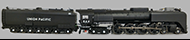
UP 4-8-4 FEF (FT) LokSound Select Retail Soundfiles H0 N XL L M4
- Article numbers:73490, 73890, 73390
- Last change: 9/1/2017
- Manufacturer: ESU
Equipped with ESU "FULL THROTTLE STEAM" features!
MUST use LokProgrammer Version 4.5.1 or newer.
Recorded from UP FEF 4-8-4 Northern #844
Built in 1944 Steam Locomotive No. 844 is the last steam locomotive built for Union Pacific Railroad. Made for passenger service it also hauled some freight in the late 1950s. Still serving today it has become Union Pacific's "Living Legend" as it holds the world record for longest contiuosly running steam locomotive!
With 80 inch Drivers, 300lbs of boiler pressure, and designed to safely operate at 120 mph, this super heated locomotive has become an Icon of American Steam!
The ESU Full Throttle Steam files now include a few new logic features for added operational realism while still leaving you in control of HOW you wish to run your locomotive.
Heavy Load: F9 by default.
Similar to the “Drive Hold” button on the Full Throttle Diesel files “Heavy Load” allows you to adjust the “Steam Cut Off Valve” at any speed allowing for a fierce full chuff or drifting with snifters and rod clanks. Heavy load can also act as an offset allowing speed adjustments when engaged if desired.
Coast: F4 by default.
Opposite of “Heavy Load” Coast allows for a negative offset allow drifting sounds of Rods and snifter valves at any speed. You again have the option to hold the speed to adjust the speed with this offset active. Even allowing for an increase of speed with no chuffs as if drifting downhill.
Grade Crossing: Sequence. F22 by default.
Allowing 1 button push to play a “pre made” grade crossing cycles with variable lengths and whistle play.
Independent brake: F10 by default
Identical to the Full Throttle Diesel files this is a custom feature created by using logic inside sound slot 11. This allows for the locomotive to stop more quickly than its regular momentum would normally carry it. This one is pretty self-explanatory – just press the brake and come to a stop!
Articulation: Sound Slot 2
By adding Sound Slot 2 to the F8 Function Mapping you can add a second set of drivers making any ESU Steam File articulated.
Function Mappable Air Horn: F21 by default
Sound Slot 21.
Many Steam locomotives had a single chime airhorn equipped. Those modelling SP, MILW, and others can now have this feature and put it where they would like in the function mapping in addition to the whistle.
As with all SELECT decoders there are multiple, bells included on this one sound profile! All changeable using CV48.
Chuff Set:
CV48=0 FEF-4-8-4-844-Rod Clank
CV48=16 FEF-4-8-4-844-Snifters
Whistles:
CV48=0 UP 844 "Steamboat" - Default
CV48=1 SP&S 3 Chime
CV48=2 Steamboat 3 Chime
Bells:
CV48=0 UP 844 Air Ringer Bell - Default
Default CV48 Value = 0
0 - UP 844 4-8-4 FEF
0 - UP 844 Steamboat Whistle
0 - UP 844 Air Ringer Bell
For more info please see the "Full Throttle Steam" Quick Start Guide in the ESU Instruction Manual Section of our Website.
http://www.esu.eu/en/downloads/instruction-manuals/digital-decoders/ Hide description more…
H0 N XL L M4
- Article numbers
- 73490, 73890, 73390
- Last change
- 9/1/2017
- Manufacturer
- ESU
SP 4-8-4 GS-4 4449 (FT) LokSound Select Retail Soundfiles H0 N XL L M4
- Article numbers:75437, 75837, 75337
- Last change: 9/29/2017
- Manufacturer: ESU
Equipped with ESU "FULL THROTTLE STEAM" features!
MUST use LokProgrammer Version 4.5.1 or newer.
SP 4449 4-8-4 GS-4 "Daylight"
The ESU Full Throttle Steam files now include a few new logic features for added operational realism while still leaving you in control of HOW you wish to run your locomotive.
Heavy Load: F9 by default.
Similar to the “Drive Hold” button on the Full Throttle Diesel files “Heavy Load” allows you to adjust the “Steam Cut Off Valve” at any speed allowing for a fierce full chuff or drifting with snifters and rod clanks. Heavy load can also act as an offset allowing speed adjustments when engaged if desired.
Coast: F4 by default.
Opposite of “Heavy Load” Coast allows for a negative offset allow drifting sounds of Rods and snifter valves at any speed. You again have the option to hold the speed to adjust the speed with this offset active. Even allowing for an increase of speed with no chuffs as if drifting downhill.
Grade Crossing: Sequence. F22 by default.
Allowing 1 button push to play a “pre made” grade crossing cycles with variable lengths and whistle play.
Independent brake: F10 by default
Identical to the Full Throttle Diesel files this is a custom feature created by using logic inside sound slot 11. This allows for the locomotive to stop more quickly than its regular momentum would normally carry it. This one is pretty self-explanatory – just press the brake and come to a stop!
Articulation: Sound Slot 2
By adding Sound Slot 2 to the F8 Function Mapping you can add a second set of drivers making any ESU Steam File articulated.
Function Mappable Air Horn: F21 by default
Sound Slot 21.
Many Steam locomotives had a single chime airhorn equipped. Those modelling SP, MILW, and others can now have this feature and put it where they would like in the function mapping in addition to the whistle.
As with all SELECT decoders there are multiple, bells included on this one sound profile! All changeable using CV48.
Chuff Set:
CV48=0 SP GS-4 4449 4-8-4 Rod Clank
CV48=16 SP GS-4 4449 4-8-4 Snifters
Whistles:
CV48=0 UP 844 "Steamboat"
CV48=1 SP&S 3 Chime
CV48=2 SP 4449 Daylight whistle - Default
Bells:
CV48=0 SP 4449 Air Ringer Bell - Default
Default CV48 Value = 2
0 - SP GS-4 4449 4-8-4 Rod Clank
2 - SP 4449 Daylight whistle
0 - SP 4449 Air Ringer Bell
For more info please see the "Full Throttle Steam" Quick Start Guide in the ESU Instruction Manual Section of our Website.
http://www.esu.eu/en/downloads/instruction-manuals/digital-decoders/ Hide description more…
H0 N XL L M4
- Article numbers
- 75437, 75837, 75337
- Last change
- 9/29/2017
- Manufacturer
- ESU
UP Challenger 4-6-6-4 (FT) LokSound V4.0 American & Australian Sound files H0 N XL L M4
- Article numbers:74456, 74856, 74556, 74356
- Last change: 9/1/2017
- Manufacturer: ESU
Equipped with ESU "FULL THROTTLE STEAM" features!
MUST use LokProgrammer Version 4.5.1 or newer.
The name Challenger was given to steam locomotives with a 4-6-6-4 wheel arrangement. This means that they have four wheels in the leading "pilot" truck, which helps guide the locomotive into curves; two sets of six "driving" wheels, and finally, four "trailing" wheels, which support the rear of the engine and its massive firebox. Each set of driving wheels has its own steam cylinder. In essence, the result is two engines under one boiler.
The frame of the locomotive is "articulated," or hinged, to allow it to go through curves. When watching the approaching locomotive go through a curve, you can see the boiler swing out left or right independently of the lower half of the engine, as the rear half of the locomotive remains in a straight direction until its wheels and frame are halfway through the curve.
The Challengers were designed for fast freight service, but occasionally pulled passenger trains.
While having slightly different boiler pressures (Challengers 280lbs - Big Boys 300lbs) This file could be used for the UP Big Boy 4-8-8-4 locomotives as well as the sounds would be almost the same.
The ESU Full Throttle Steam files now include a few new logic features for added operational realism while still leaving you in control of HOW you wish to run your locomotive.
Heavy Load: F9 by default.
Similar to the “Drive Hold” button on the Full Throttle Diesel files “Heavy Load” allows you to adjust the “Steam Cut Off Valve” at any speed allowing for a fierce full chuff or drifting with snifters and rod clanks. Heavy load can also act as an offset allowing speed adjustments when engaged if desired.
Coast: F4 by default.
Opposite of “Heavy Load” Coast allows for a negative offset allow drifting sounds of Rods and snifter valves at any speed. You again have the option to hold the speed to adjust the speed with this offset active. Even allowing for an increase of speed with no chuffs as if drifting downhill.
Grade Crossing: Sequence. F22 by default.
Allowing 1 button push to play a “pre made” grade crossing cycles with variable lengths and whistle play.
Independent brake: F10 by default
Identical to the Full Throttle Diesel files this is a custom feature created by using logic inside sound slot 11. This allows for the locomotive to stop more quickly than its regular momentum would normally carry it. This one is pretty self-explanatory – just press the brake and come to a stop!
Articulation: Sound Slot 2
By adding Sound Slot 2 to the F8 Function Mapping you can add a second set of drivers making any ESU Steam File articulated.
Function Mappable Air Horn: F21 by default
Sound Slot 21.
Many Steam locomotives had a single chime airhorn equipped. Those modelling SP, MILW, and others can now have this feature and put it where they would like in the function mapping in addition to the whistle.
As with all SELECT decoders there are multiple, bells included on this one sound profile! All changeable using CV48.
For more info please see the "Full Throttle Steam" Quick Start Guide in the ESU Instruction Manual Section of our Website.
http://www.esu.eu/en/downloads/instruction-manuals/digital-decoders/ Hide description more…
H0 N XL L M4
- Article numbers
- 74456, 74856, 74556, 74356
- Last change
- 9/1/2017
- Manufacturer
- ESU
Soo Line 1003 2-8-2 (FT) LokSound V4.0 American & Australian Sound files H0 N XL L M4
- Article numbers:74474
- Last change: 3/10/2017
- Manufacturer: ESU
Equipped with ESU "FULL THROTTLE STEAM" features!
MUST use LokProgrammer Version 4.5.1 or newer.
The 2-8-2 wheel configuration on steam locomotives was one of the most highly used configurations made. This type of locomotive with 2 pilot wheels, 8 drive wheels, and 2 trailing wheels to support a larger firebox was first built for the Emperor of Japan, thus the name Mikado type. The first Mikado built for service in the US was built in 1901 and was owed by the Bismarck, Washburn and Great Falls until 1904 when it was acquired by the Soo Line.
This recording comes from the newer L-1 Class SOO Line 2-8-2 #1003. The SOO #1003 is a very average 2-8-2 not much different than the USRA light Mikado design. It does have slightly larger cylinders and a boiler pressure of about 170 PSI.
Originally delivered with a Westinghouse Cross Compound Air Pump, Walschaerts valve gear, an oil headlight, and a manual Johnson Bar, it was gradually upgraded to include a Power Reverse gear and electric headlights and class lights by about 1920.
It is important to note that wheel arrangement does very little to change the sounds of a steam locomotive. (Articulation aside). Boiler pressure, Stack size, Cylinder size and even the engineer at the throttle can all have more effect on the sound of locomotive than how many wheels are beneath it. While our dedication to accuracy is paramount, causing us to release very specific files, we will also be releasing some more generic files to try to give broad range to locomotives owned by MANY railroads. While this is a fairly common design and the sounds are similar to many locomotives, this ESU Full Throttle File is quite specific to the SOO #1003. We've included a few extra whistles for some variation.
The ESU Full Throttle Steam files now include a few new logic features for added operational realism while still leaving you in control of HOW you wish to run your locomotive.
Heavy Load: F9 by default.
Similar to the “Drive Hold” button on the Full Throttle Diesel files “Heavy Load” allows you to adjust the “Steam Cut Off Valve” at any speed allowing for a fierce full chuff or drifting with snifters and rod clanks. Heavy load can also act as an offset allowing speed adjustments when engaged if desired.
Coast: F4 by default.
Opposite of “Heavy Load” Coast allows for a negative offset allow drifting sounds of Rods and snifter valves at any speed. You again have the option to hold the speed to adjust the speed with this offset active. Even allowing for an increase of speed with no chuffs as if drifting downhill.
Grade Crossing: Sequence. F22 by default.
Allowing 1 button push to play a “pre made” grade crossing cycles with variable lengths and whistle play.
Independent brake: F10 by default
Identical to the Full Throttle Diesel files this is a custom feature created by using logic inside sound slot 11. This allows for the locomotive to stop more quickly than its regular momentum would normally carry it. This one is pretty self-explanatory – just press the brake and come to a stop!
Articulation: Sound Slot 2
By adding Sound Slot 2 to the F8 Function Mapping you can add a second set of drivers making any ESU Steam File articulated.
Function Mappable Air Horn: F21 by default
Sound Slot 21.
Many Steam locomotives had a single chime airhorn equipped. Those modelling SP, MILW, and others can now have this feature and put it where they would like in the function mapping in addition to the whistle.
For more info please see the "Full Throttle Steam" Quick Start Guide in the ESU Instruction Manual Section of our Website.
http://www.esu.eu/en/downloads/instruction-manuals/digital-decoders/ Hide description more…
H0 N XL L M4
- Article numbers
- 74474
- Last change
- 3/10/2017
- Manufacturer
- ESU
D&RGW K-27 463 (FT) LokSound V4.0 American & Australian Sound files H0 N XL L M4
- Article numbers:74486, 74886, 74586, 74386
- Last change: 1/8/2018
- Manufacturer: ESU
Equipped with ESU "FULL THROTTLE STEAM" features!
MUST use LokProgrammer Version 4.5.1 or newer.
D&RGW (Cumbres and Toltec) K27 463
The ESU Full Throttle Steam files now include a few new logic features for added operational realism while still leaving you in control of HOW you wish to run your locomotive.
Heavy Load: F9 by default.
Similar to the “Drive Hold” button on the Full Throttle Diesel files “Heavy Load” allows you to adjust the “Steam Cut Off Valve” at any speed allowing for a fierce full chuff or drifting with snifters and rod clanks. Heavy load can also act as an offset allowing speed adjustments when engaged if desired.
Coast: F4 by default.
Opposite of “Heavy Load” Coast allows for a negative offset allow drifting sounds of Rods and snifter valves at any speed. You again have the option to hold the speed to adjust the speed with this offset active. Even allowing for an increase of speed with no chuffs as if drifting downhill.
Grade Crossing: Sequence. F22 by default.
Allowing 1 button push to play a “pre made” grade crossing cycles with variable lengths and whistle play.
Independent brake: F10 by default
Identical to the Full Throttle Diesel files this is a custom feature created by using logic inside sound slot 11. This allows for the locomotive to stop more quickly than its regular momentum would normally carry it. This one is pretty self-explanatory – just press the brake and come to a stop!
Articulation: Sound Slot 2
By adding Sound Slot 2 to the F8 Function Mapping you can add a second set of drivers making any ESU Steam File articulated.
For more info please see the "Full Throttle Steam" Quick Start Guide in the ESU Instruction Manual Section of our Website.
http://www.esu.eu/en/downloads/instruction-manuals/digital-decoders/ Hide description more…
H0 N XL L M4
- Article numbers
- 74486, 74886, 74586, 74386
- Last change
- 1/8/2018
- Manufacturer
- ESU
UP 4-8-4 FEF (FT) LokSound V4.0 American & Australian Sound files H0 N XL L M4
- Article numbers:74490, 74890, 74590, 74390
- Last change: 9/1/2017
- Manufacturer: ESU
Equipped with ESU "FULL THROTTLE STEAM" features!
MUST use LokProgrammer Version 4.5.1 or newer.
Recorded from UP FEF 4-8-4 Northern #844
Built in 1944 Steam Locomotive No. 844 is the last steam locomotive built for Union Pacific Railroad. Made for passenger service it also hauled some freight in the late 1950s. Still serving today it has become Union Pacific's "Living Legend" as it holds the world record for longest contiuosly running steam locomotive!
With 80 inch Drivers, 300lbs of boiler pressure, and designed to safely operate at 120 mph, this super heated locomotive has become an Icon of American Steam!
The ESU Full Throttle Steam files now include a few new logic features for added operational realism while still leaving you in control of HOW you wish to run your locomotive.
Heavy Load: F9 by default.
Similar to the “Drive Hold” button on the Full Throttle Diesel files “Heavy Load” allows you to adjust the “Steam Cut Off Valve” at any speed allowing for a fierce full chuff or drifting with snifters and rod clanks. Heavy load can also act as an offset allowing speed adjustments when engaged if desired.
Coast: F4 by default.
Opposite of “Heavy Load” Coast allows for a negative offset allow drifting sounds of Rods and snifter valves at any speed. You again have the option to hold the speed to adjust the speed with this offset active. Even allowing for an increase of speed with no chuffs as if drifting downhill.
Grade Crossing: Sequence. F22 by default.
Allowing 1 button push to play a “pre made” grade crossing cycles with variable lengths and whistle play.
Independent brake: F10 by default
Identical to the Full Throttle Diesel files this is a custom feature created by using logic inside sound slot 11. This allows for the locomotive to stop more quickly than its regular momentum would normally carry it. This one is pretty self-explanatory – just press the brake and come to a stop!
Articulation: Sound Slot 2
By adding Sound Slot 2 to the F8 Function Mapping you can add a second set of drivers making any ESU Steam File articulated.
Function Mappable Air Horn: F21 by default
Sound Slot 21.
Many Steam locomotives had a single chime airhorn equipped. Those modelling SP, MILW, and others can now have this feature and put it where they would like in the function mapping in addition to the whistle.
For more info please see the "Full Throttle Steam" Quick Start Guide in the ESU Instruction Manual Section of our Website.
http://www.esu.eu/en/downloads/instruction-manuals/digital-decoders/ Hide description more…
H0 N XL L M4
- Article numbers
- 74490, 74890, 74590, 74390
- Last change
- 9/1/2017
- Manufacturer
- ESU
License Agreement
1. GRANT OF LICENSE
1.1 ESU grants you a non-transferable, limited, non-exclusive right to use the Content solely for your own personal purposes. You may load the Content into RAM, as well as installation on a hard disk or other storage device on a single computer, hardware product or mobile device owned by you or under your control. The installation process may result in a copy of the Content residing on your computer, in which case, you may retain one (1) copy of the Content on your computer, provided that you retain all copyright and other proprietary notices on the copy and the copy is kept in your possession with the original.1.2 By using the Content, you shall not obtain any ownership, copyright, proprietary or other interest in or to the Content. The Content is licensed, not sold.
1.3 You are licensed to use, modify and combine the Sound Samples with sound samples provided by third parties, to create your own sound compositions which, subject to you complying with the terms of this Agreement, you are free to distribute as you wish provided that: (i) the Sound Samples have been mixed together to create an original work; (ii) individual Sound Samples are not used in isolation and (iii) the Sound Samples or derivatives are not used to create sound libraries for distribution to third parties.
2. PROHIBITED USES
Neither you, nor anyone at your direction, shall:2.1 use the Content, or any part of it, for any public performance, live broadcast or time delayed live broadcast where the Content is used unattended for commercial purposes without ESU' s prior written consent;
2.2 use the Content, or any part of it, in any competitive product;
2.3 sub-license, copy, reproduce, transmit, assign, rent, sell, lease, offer on a pay-per-play basis, distribute for money or any other consideration, or commercially exploit in any other manner or through any medium whatsoever or otherwise transfer in any way the Content or any part thereof;
2.4 manufacture and/or distribute for money or otherwise commercially exploit any product that incorporates any part of the Content. If you wish to use any part of the Content for manufacture, resale, sub-license or further distribution, you must contact ESU (and where relevant, its licensors) to enter into an appropriate agreement with ESU (and, where relevant, its licensors);
2.5 publish the results of any analysis or comparative evaluation of the Content or any part thereof without ESU' s prior written consent;
2.6 reverse engineer, recompile or disassemble any part of the Content except to the extent and in the circumstances expressly permitted by ESU and its licensors in writing or by law;
3. INTELLECTUAL PROPERTY RIGHTS
You acknowledge that all intellectual property rights in the Content are and shall remain vested in ESU and its licensors. You undertake not to interfere with or diminish, whether by act or omission, the rights, title and interest in the Content of ESU and its licensors. You may be held responsible by ESU and/or any of its licensors for any infringement of any intellectual property rights in the Content. For the avoidance of doubt, provided that you comply with the terms of this Agreement, ESU shall not claim ownership of the intellectual property rights in any compositions created by your use of the Content.4. TERM AND TERMINATION
This Agreement is effective from the first date you install the Content. The rights granted to you under this Agreement shall terminate if you fail to abide by its terms. Upon such termination you agree to destroy the Content including any Content stored on the hard disk of any computer under your control. You may terminate this Agreement at any time by destroying or erasing all your copies of the Content. Any termination of this Agreement (howsoever occasioned) shall not affect any accrued rights or liabilities of you or ESU nor shall it affect the coming into force or the continuance in force of the provisions of Clauses 2, 3, 5 and 6 and any provision hereof which is by implication intended to come into or continue in force on or after such termination.5. NO WARRANTIES
TO THE MAXIMUM EXTENT PERMITTED BY APPLICABLE LAW, ESU AND ITS LICENSORS PROVIDE THE CONTENT "AS IS" AND ESU EXCLUDES ON BEHALF OF ITSELF AND ITS LICENSORS, ALL CONDITIONS, TERMS, REPRESENTATIONS (OTHER THAN FRAUDULENT REPRESENTATIONS) AND WARRANTIES RELATING TO THE CONTENT, WHETHER IMPOSED BY STATUTE OR BY OPERATION OF LAW OR OTHERWISE, INCLUDING BUT NOT LIMITED TO, IMPLIED WARRANTIES OF SATISFACTORY QUALITY AND FITNESS FOR A PARTICULAR PURPOSE. NEITHER ESU NOR ITS LICENSORS WARRANT THAT THE OPERATION OF THE CONTENT WILL BE UNINTERRUPTED, ERROR FREE, VIRUS FREE OR MEET YOUR SPECIFIC REQUIREMENTS. YOU MAY HAVE OTHER RIGHTS THAT VARY FROM JURISDICTION TO JURISDICTION.6. ESU's LIABILITY
Neither ESU nor its licensors shall have any liability to you for any loss or damage caused directly or indirectly in connection with the Content, any part thereof or this Agreement, except to the extent that such liability cannot be lawfully excluded. In any case, neither ESU nor its licensors shall be liable for any loss of business, data, profits, savings, or any other special, incidental, consequential, indirect or economic loss whatsoever even if such losses were contemplated at the date of this Agreement.7. GENERAL
7.1 You acknowledge that damages alone might be insufficient remedy for any breach of the terms of this Agreement and that the remedies of injunction, specific performance or other equitable relief would be suitable remedies in the event of any breach or threatened breach of this Agreement.7.2 You may not assign or otherwise transfer all or any part of this Agreement or the rights granted to you hereunder.
7.3 ESU is not obliged to provide any maintenance, technical support or upgrades to you.
7.4 You agree to comply with all applicable import and export regulations and acknowledge that you have the responsibility for obtaining all necessary licenses to export, re-export, transfer or import the Content.
7.5 This Agreement constitutes the entire agreement between you and ESU with respect to the subject matter hereof and supersedes all prior agreements, arrangements and understandings between the parties and constitutes the entire agreement between the parties relating to such subject matter hereof. No addition to or modification of any provision of this Agreement shall be binding upon ESU and you unless made by a written instrument signed by a duly authorized representative of ESU and you.
7.6 No forbearance, delay or indulgence by either party in enforcing the provisions of this Agreement shall prejudice or restrict the rights of that party nor shall any waiver of its rights operate as a waiver of any subsequent breach and no right, power or remedy herein conferred upon or reserved for either party is exclusive of any other right, power or remedy available to that party and each such right, power or remedy shall be cumulative.
7.7 Notwithstanding that the whole or any part of any provision of this Agreement may prove to be illegal or unenforceable the other provisions of this Agreement and the remainder of the provision in question shall remain in full force and effect.
If you download the designated file, you agree to be legally bound by the license given above.