
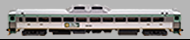
 Budd RDC
 Detroit Diesel Dual 6cyl Prime Movers
The Budd Rail Diesel Car, RDC or Buddliner is a self-propelled diesel multiple unit (DMU) railcar. Between 1949 and 1962, 398 RDCs were built by the Budd Company of Philadelphia, Pennsylvania, United States. The cars were primarily adopted for passenger service in rural areas with low traffic density or in short-haul commuter service, and were less expensive to operate in this context than a traditional diesel locomotive-drawn train with coaches. The cars could be used singly or coupled together in train sets and controlled from the cab of the front unit. The RDC was one of the few DMU trains to achieve commercial success in North America. RDC trains were an early example of self-contained diesel multiple unit trains, an arrangement now in common use by railways all over the world.
Budd RDCs were sold to operators in North America, South America, Asia, and Australia. They saw extensive use in the Northeast United States, both on branch lines and in commuter service. As passenger service declined in the United States the RDC was often the last surviving conveyor of passengers on a particular route. Most RDCs were retired by the 1980s. In Canada, RDCs have remained in continuous use since their introduction in the 1950s.
Recorded from Reading and Northern RDC 9168
This project is a normal idle version. It has single exhaust stacks per motor.
"Reverser In Center Position". When pressing F24 while stopped, the motor will lock so you can throttle through the notches like the prototype in neutral. F24 must be turned off to begin moving.
This project has "Run 8" mode. When turning on F26 with F28 off, the prime mover goes to run 8. Turning off F26 returns the prime mover sounds back to normal mode.
This project has "Coast" mode. When turning on F27 with F28 off, the prime mover goes to idle for coasting purposes. Turning off F27 returns the prime mover sounds back to normal mode.
You can still use F26 and F27 for manual notching. You have to keep both F26 and F27 off before pressing F28 to turn on manual notching. Once F28 is on, you can use F26 to notch up and F27 to notch down. F26, F27, and F28 must be turned off to return to normal mode.
This project has "Load" mode. When turning on F29 with F15, F24, F26, F27, F28 off, the prime mover goes into load mode. While you are using load mode, the prime mover will notch up 1 or more notches based on primary load settings(CV104). The throttle notches up using speed instead of requested speed while using the load feature. F29 must be turned off to return to normal mode.
Prime mover volume selection mode. By default the prime mover has volume dynamics. Meaning idle is soft while notch 8 is loud. This is very prototypical. The next option is volume maxed out. Meaning idle and notch 8 are the same volume. This is more suitable for people who like it loud.
Change the sound configuration of the prime mover sound slot 1
CV31 = 16, CV32 = 1
----------------------
CV263 = 0 Prime Mover Dynamic Volume Control
CV263 = 1 Prime Mover Max Volume
1st Gen Horn Pack 1
Horns (SoundCV9):
CV163=0 Leslie A-125
CV163=1 Leslie A-200
CV163=2 Leslie S-2M
CV163=3 Leslie S-3K
CV163=4 Leslie S-3L
CV163=5 Leslie S-5T
CV163=6 Nathan M3
CV163=7 Nathan M3H
CV163=8 Nathan M5
CV163=9 Nathan P5 (Old Cast)
CV163=10 Nathan P5R24 (Old Cast)
CV163=11 Nathan P3 (Old Cast)
CV163=12 Nathan P3-R4 (Old Cast)
CV163=13 Nathan P5A (Old Cast)
CV163=14 Wabco E-2
CV163=15 Nathan K3HA
CV163=16 Nathan K3L
CV163=17 Nathan K3H
CV163=18 Nathan K5H
EMD 1st Generation Bell Template Pack 2
Bells (SoundCV10):
CV164=0 EMD 8004156 Bronze Bell 011
CV164=1 EMD 8475495 Steel Bell 007
CV164=2 EMD 8004156 Bronze Bell 012
CV164=3 EMD 8475495 Steel Bell 009
CV164=4 EMD 8004156 Bronze Bell 013
CV164=5 EMD 8475495 Steel Bell 010
Auto Bell:
Many Second and Third Generation locomotives have been fitted with an Automatic Bell that is triggered when the horn is blown. In MANY cases this cannot even be bypassed on modern locos. Before the FRA mandated this feature on new locomotives the bell was of course turned on and off separately. Some locomotives were delivered with a manual bell and have been converted to an automatic bell. This creates a challenge in sound file creation.
We realize that not every loco with a particular prime mover had this feature. As such we have built in an option to turn the feature on and off. We will set the default in the file to be what is most appropriate for the particular file.
To turn the feature OFF - Auto Bell OFF:
1. Remove the Auto bell sound slot from the function mapping chart
CV31 = 16, CV32 = 8
----------------------
CV311 = 4
2. Change the sound configuration of the Auto bell sound slot
CV31 = 16, CV32 = 1
----------------------
CV287 = 0
To turn the feature ON - Auto Bell ON:
1. ADD the Auto bell sound slot from the function mapping chart
CV31 = 16, CV32 = 8
----------------------
CV311 = 12
2. Change the sound configuration of the Auto bell sound slot
CV31 = 16, CV32 = 1
----------------------
CV287 = 1
Auto Bell Timer:
The Bell timer is amount of time the bell will play after the horn if the auto timer is active. The timer is broken down into 1/4 of a second increments.
CV169=4 - 1 Second
CV169=8 - 2 Seconds
CV169=12 - 3 Seconds
CV169=16 - 4 Seconds
CV169=20 - 5 Seconds - Default
Etc...
1st Generation Brake Squeal Template Pack 1
Brake Squeal (SoundCV11)
CV165=0 Composition Shoe
CV165=1 Cast Iron Shoe
EMD 1st Generation Air Dryer Template Pack 1
Air Dryer (SoundCV12)
CV166=0 F7A Air Dryer 1
CV166=1 GP7 Air Dryer 1
CV166=1 GP7U Air Dryer 1
CV166=1 GP7U Air Dryer 2
S0584 - Release Notes
===================================================
V-4 R-3:
===================================================
- description mispelling fix
- description brake squeal error fix
- soundslot brake squeal spelling mistake
- remastered prime mover
- prime mover volume selection mode
- brake 1 and 2 settings change
- brake set/release change
- traction motor update